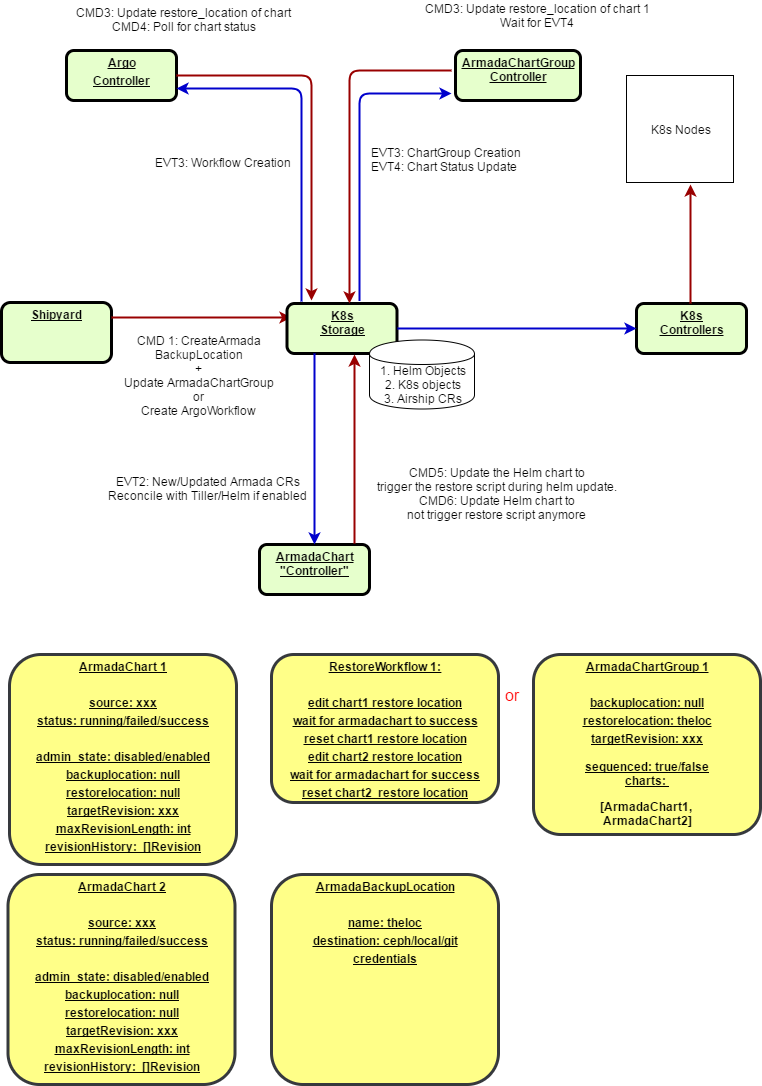
Deployment Flows
Deployment Flows
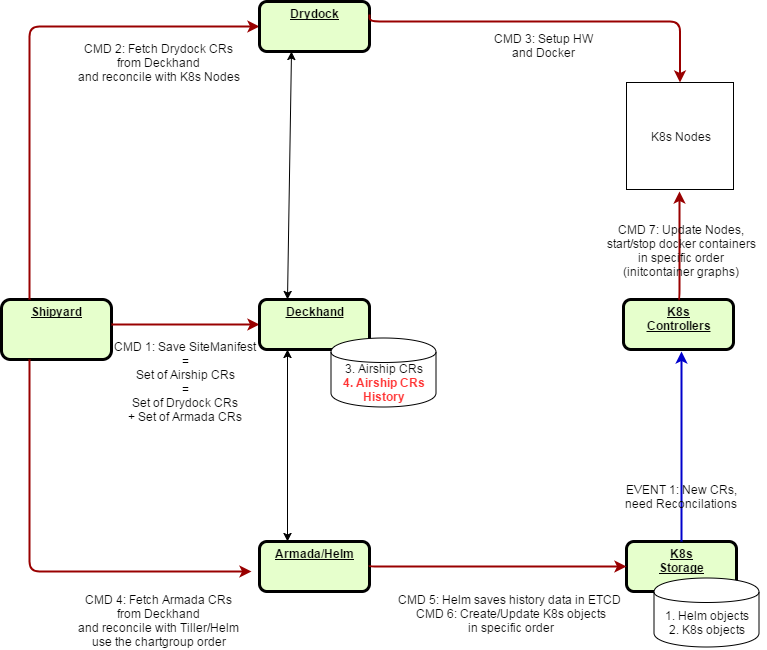
CRDs in Deckhand
In the Airship used for production deployment, the SiteManifest could be viewed as a composition of Custom Resources:
- “Drydock” CR describing the kubernetes nodes, network, kublet.
- “ArmadaChart” CR describing the location of the helm chart and the helm chart value override.
Shipyard, Drydock and Armada are orchestrating the order of deployment:
- BareMetal OS, Network
- Docker, Kubelet, Kubernetes
- Storage, CEPH
- Applications for instance MariaDB
In the subsequent drawings, red arrows represent APIs and CLI calls (arship or kubernetes calls),
blue arrows represents events generated by K8s.
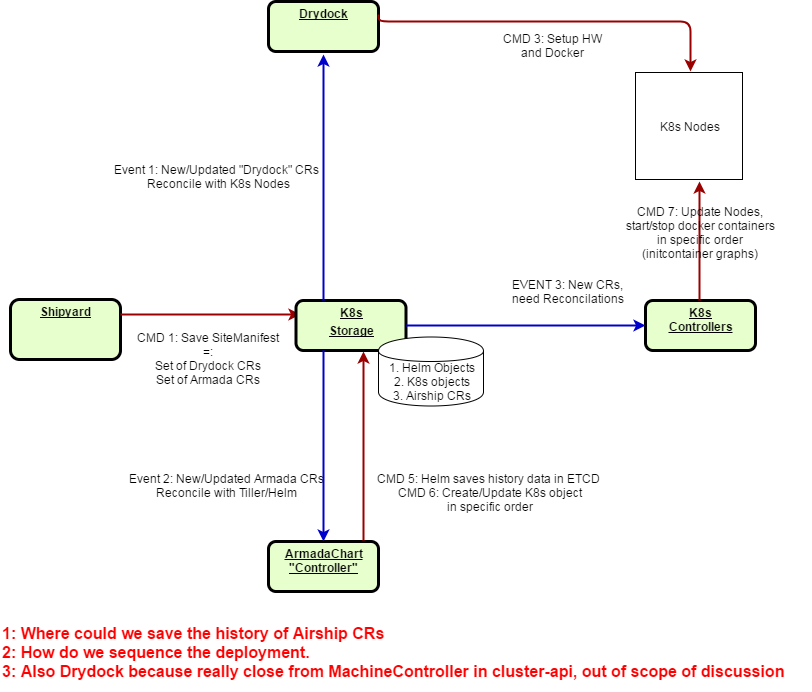
CRDs in ETCD
This view here describe how ETCD could potentially fullfill the role of Deckhand assuming that:
- “History” of the CRDs is ensured. A rollback to a previous version should be possible.
- “Sequencement” of the deployment is ensured. Helm Chart for CEPH needs to run before Helm Chart for MariaDB
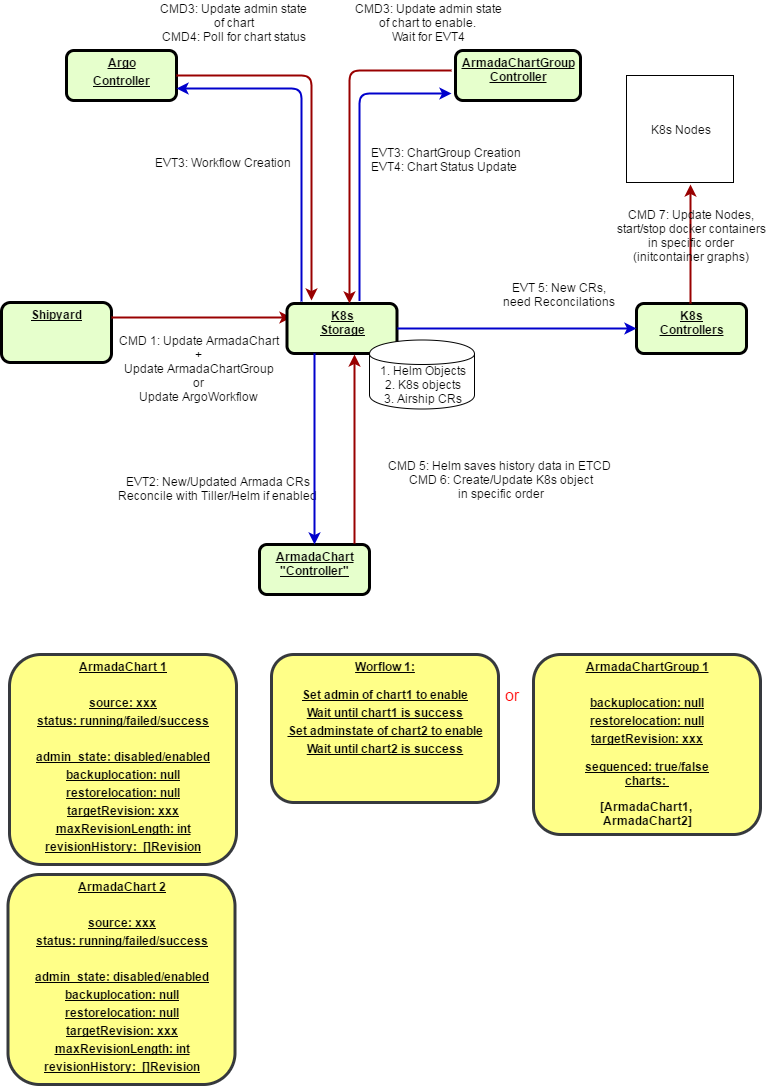
CRD Process Flows
Deployment Flow
The main principal is:
- Create all the charts in ETCD and “disable” the reconcile feature
- Changing the admin_state to enable triggers the Reconciliation/Installation of the HelmChart
- Either a ChartGroup or an Argo workflow enables the ArmadaCharts in the proper order.
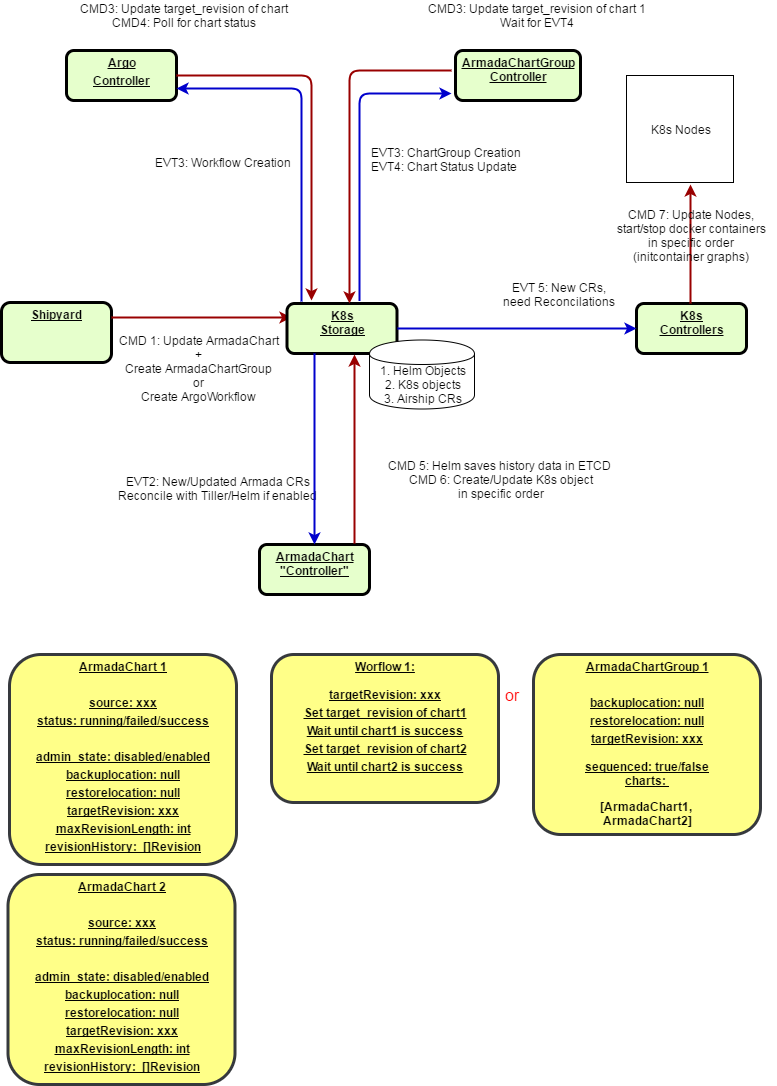
Upgrade/Rollback Flow
- Changing the targetVersion in the ArmadaChart triggers the Upgrade/Rollback of the HelmChart
- Either a ChartGroup or an Argo workflow update the targetVersion attribute of the ArmadaCharts in the proper order.
- the “targetVersion” attribute usage will potentially completly remove the need for the enabled/disabled state. Moving the “targetVersion” from 0 to 1 would indeed have the same effect than changing the admin state from disabled to enabled.
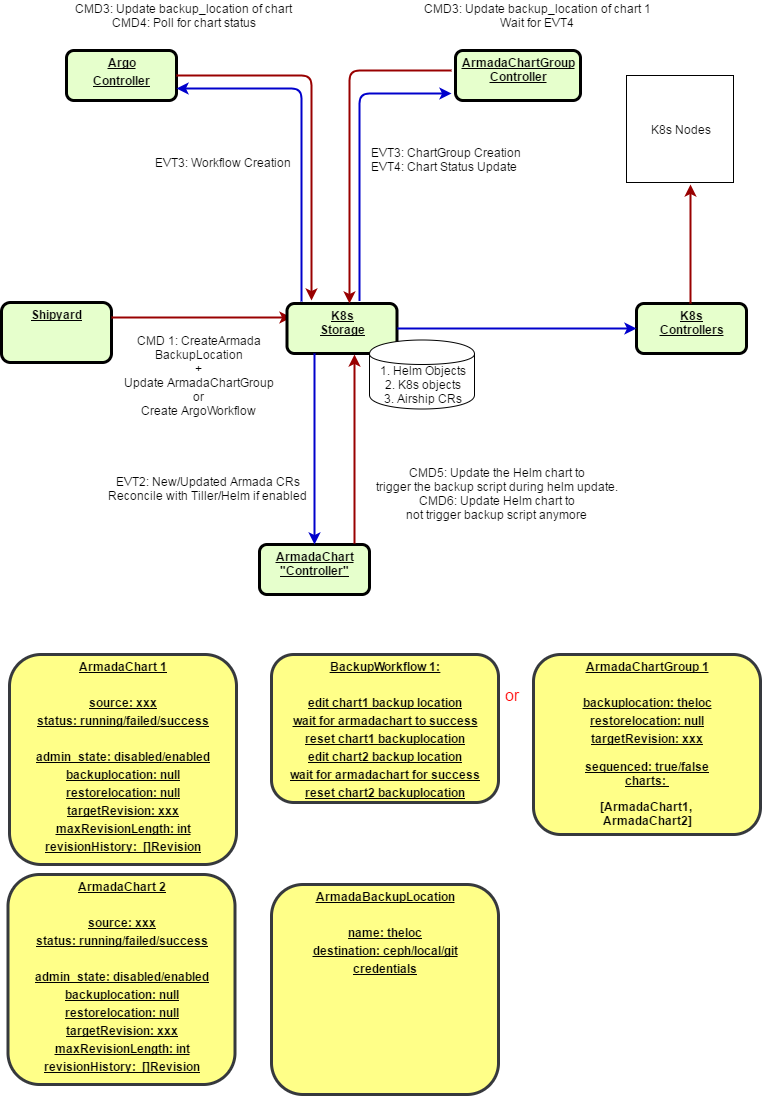
Backup Flow
- Create an ArmadaBackupLocation CRD
- Pointing the backupLocation in the ArmadaChart to the previous CRD triggers the backup of the stateful data associated with the HelmChart
- Either a ChartGroup or an Argo workflow update the backupLocation attribute of the ArmadaCharts in the proper order.
Restore Flow
- Create an ArmadaBackupLocation CRD
- Pointing the restoreLocation in the ArmadaChart to the previous CRD triggers the restore of the stateful data associated with the HelmChart
- Either a ChartGroup or an Argo workflow update the restoreLocation attribute of the ArmadaCharts in the proper order.